Your Safety Net Has a Hole in It: When Antivirus Destroys the Backups You're Counting On
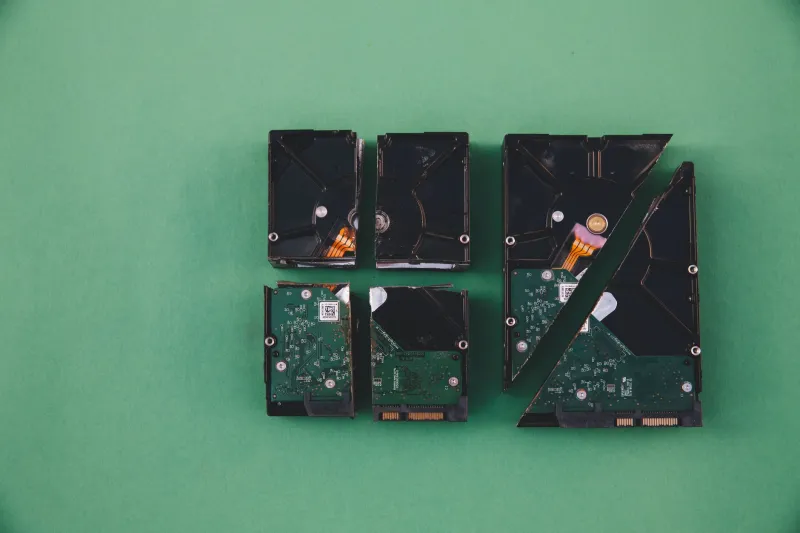
Here's a scenario that plays out more often than any AV vendor would like you to know about. A small business gets hit by ransomware. The IT manager — or maybe it's just the owner wearing the IT hat — goes to restore from backup. The backup is corrupted. Or it's incomplete. Or in the worst cases, the backup files themselves have been quarantined by the antivirus software that was supposed to be protecting the system.
The thing that was supposed to save them helped make sure they couldn't be saved.
This isn't a hypothetical. It's a documented failure mode with real victims, and the gap between how often it happens and how often it gets publicly discussed is significant.
How Antivirus Breaks Backups Without Trying
Antivirus software and backup software are both trying to do important jobs, and they're often doing them at the same time, in the same place, fighting over the same files. The friction this creates ranges from annoying to catastrophic.
The most common scenario involves real-time scanning intercepting backup operations. When backup software tries to read and copy files — including system files, application data, and the backup catalog itself — AV real-time protection is also reading those files, checking them against signature databases, and sometimes locking them briefly while scanning completes. For most files, this causes minor slowdowns. For backup operations that depend on consistent, uninterrupted file access, it can cause incomplete captures, corrupted archives, or backup jobs that appear to complete successfully but are actually missing critical components.
Backup software vendors have been complaining about this for years. The solution is usually to add exclusions in your AV configuration for backup directories and backup software processes. But that exclusion has to be configured correctly, kept current as software updates, and actually tested — none of which happens automatically.
The Quarantine Problem Nobody Talks About
Then there's the more dramatic failure mode: antivirus software actively quarantining or deleting backup files because it's decided they're suspicious.
Backup archives are, from a certain perspective, genuinely weird files. They're large. They contain compressed data that doesn't look like normal file content. They sometimes contain encrypted segments. They might include dormant executables, old malware samples that were cleaned up months ago, or compressed copies of files that have since been flagged as malicious.
Some AV engines scan inside archive files. When they find something they don't like — even a cleaned-up malware artifact from an old infection — they can quarantine or delete the entire backup archive, or corrupt it by attempting to remove the flagged content from inside the compressed container.
A thread that circulated in our community forums last year collected first-hand accounts from IT professionals who'd run into exactly this. One network administrator described discovering that six weeks of daily backup archives had been partially quarantined by an endpoint security product that had been updated mid-cycle with more aggressive archive scanning. The backups looked fine in the backup software's dashboard. They weren't.
Another contributor documented a case where Windows System Restore points were being silently deleted by an AV product that had classified the restore point storage directory as a potential malware staging area — because, in fairness, malware does sometimes hide there. The AV wasn't wrong that it was a risk. It was wrong that the solution was to nuke the restore points without notification.
The Recovery Partition Risk
For individual users, there's an additional layer to this problem that rarely gets discussed: recovery partitions.
Most Windows PCs ship with a manufacturer recovery partition that lets you restore the system to factory state if things go sideways. These partitions contain a stripped-down Windows environment and recovery tools. They're not regularly accessed, not regularly updated, and not something most users think about until they desperately need them.
Some aggressive AV configurations scan removable and hidden partitions, and there have been documented cases — including in Microsoft support forums and third-party tech communities — of AV software flagging components of recovery partitions as suspicious, either quarantining them or modifying them in ways that break the recovery environment. A user who discovers this problem usually discovers it at the worst possible moment.
What Vendors Say (and What They Don't)
When these incidents get reported to AV vendors, the response pattern is fairly consistent. Initial support interactions tend to focus on the specific configuration rather than acknowledging any systemic issue. Escalated cases sometimes result in KB articles recommending exclusions. Rarely does a vendor issue a public statement acknowledging that their product damaged a customer's backup infrastructure.
This makes sense from a PR perspective and essentially zero sense from a user-safety perspective. If your security software has a documented failure mode that can leave users without recovery options after an actual infection, that's information users need to have before they need it.
Some vendors have improved in this area — particularly those serving enterprise customers who have the leverage to demand answers. But for home users and small businesses, the information asymmetry remains stark.
Protecting Your Backups From Your Security Software
The good news is that this is a largely solvable problem, even if the solutions require some deliberate effort.
Test your restores. Regularly. For real. This is the foundational principle that makes everything else matter. A backup that's never been tested isn't a backup — it's a hope. Schedule actual restore tests, not just backup completion checks. If your AV has been quietly corrupting your archives, a restore test will surface that before you need the backup in anger.
Configure AV exclusions for backup software and directories — but do it carefully. Most backup software vendors publish recommended AV exclusion lists. Follow them. But understand that excluding a directory from real-time scanning doesn't mean excluding it from scheduled scans. Check both. And revisit your exclusions every time either your AV or your backup software updates.
Use the 3-2-1 backup principle with offline or air-gapped copies. Three copies of your data, on two different media types, with one copy offsite or offline. An AV agent running on your local system can't quarantine a backup that's sitting on a disconnected external drive in your desk drawer or in a cloud service that your endpoint software can't reach.
Monitor your backup logs with the same attention you give security logs. Backup failures and incomplete jobs are often treated as operational noise. They shouldn't be. A sudden change in backup completion rates or archive sizes after an AV update is a signal worth investigating.
Check Windows Shadow Copy and System Restore status. Open a command prompt and run vssadmin list shadows to see whether your shadow copies are intact. On Windows 10 and 11, check System Protection settings to confirm restore points are being created. If they're missing or if the feature has been disabled, find out why.
The backup is supposed to be the part that saves you when everything else fails. Making sure your security software isn't quietly undermining it isn't paranoia — it's just completing the job.